


Managing employees effectively is important for maintaining productivity and achieving business goals. However, understanding how work gets completed, managing remote teams, and maintaining accountability can be challenging without proper tools. Businesses need reliable ways to understand employee work activities while maintaining transparency and respecting workplace privacy.
This is where Employee Monitoring Software becomes useful. It helps organizations gain visibility into employee work activities, track working hours, monitor project progress, and understand workforce productivity. Instead of depending entirely on manual supervision, businesses can use digital monitoring tools to organize work information and make better management decisions.
Whether a company has office-based, remote, or hybrid employees, employee monitoring software can support more organized workforce management and improve operational efficiency.
What Is Employee Monitoring Software?
Employee monitoring software is a digital tool that helps businesses understand and manage employee work activities during working hours. It can collect information about working time, attendance, application usage, website activity, project progress, and other work-related activities, depending on the software’s features.
Some platforms also offer screenshot monitoring, activity reports, GPS tracking, and productivity analytics.
The main purpose of employee monitoring software is to provide businesses with useful information about workforce activities, improve accountability, identify workflow problems, and support better resource management.
When implemented transparently, these tools can help managers understand how work is progressing without relying on constant manual supervision.
How Does Employee Monitoring Software Work?
Employee monitoring software works by collecting and organizing work-related information through a digital platform. Depending on the system, employees may use a desktop application, mobile application, or web-based dashboard.
Here is how the process generally works:
1. Employee Login and Time Tracking
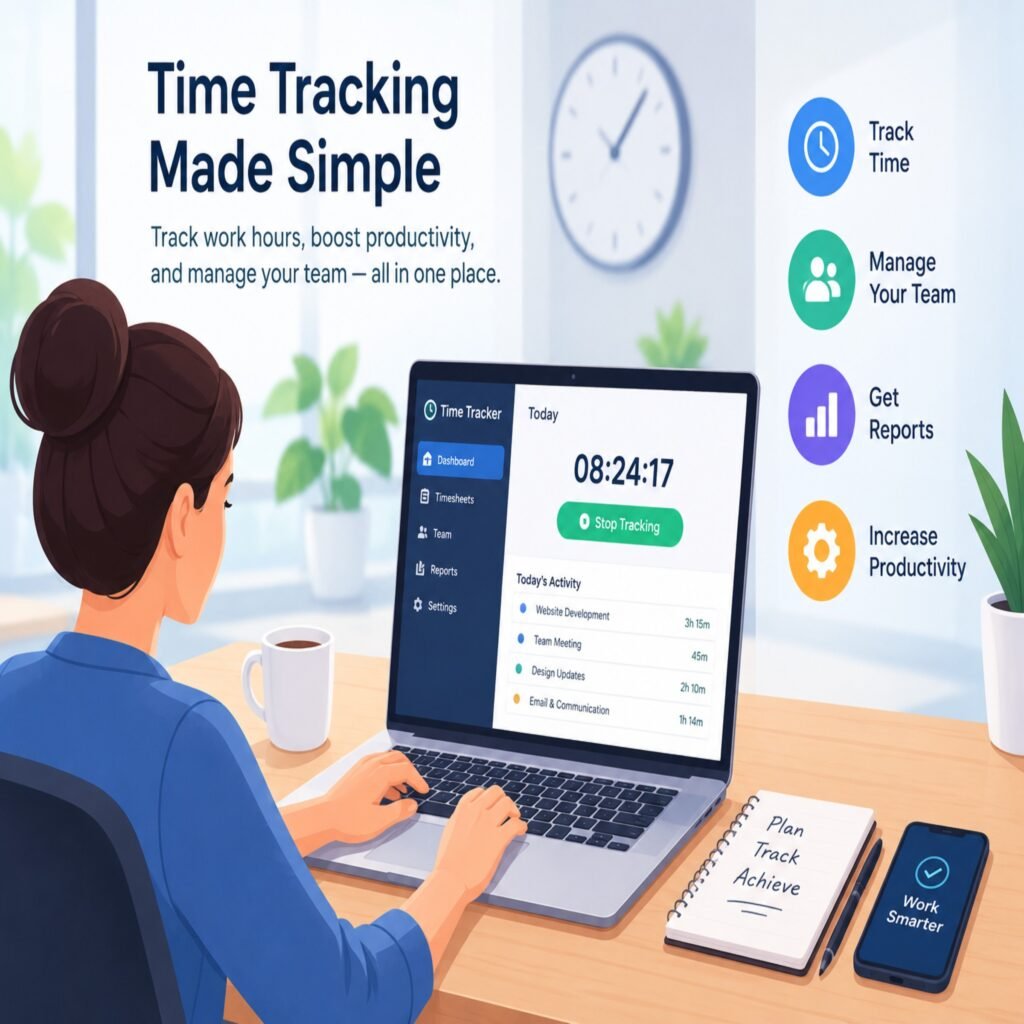
Employees begin by logging into the monitoring platform or starting their work session. The software records working hours, clock-in times, and clock-out times.
This information helps businesses maintain accurate attendance records and understand employee work schedules.
2. Work Activity Monitoring
Depending on the software and company policies, the system may collect information about application usage, website activity, active work sessions, and project-related activities.
These records help managers understand how employees use work time and identify possible workflow inefficiencies.
3. Screenshot Monitoring
Some employee monitoring tools provide periodic screenshots of employee computer screens during working sessions.
Screenshots can help authorized managers understand work progress and verify activity when necessary. However, businesses should establish clear screenshot policies, inform employees, and respect privacy requirements.
4. Productivity Data Collection
Employee monitoring software may organize work-related information into productivity reports and activity summaries.
Managers can review these insights to understand work patterns, identify interruptions, and recognize opportunities to improve team performance.
Productivity indicators should be interpreted carefully because screen activity alone does not measure the quality or value of an employee’s work.
5. Reports and Analytics
The collected information is presented through dashboards, reports, and analytics.
Managers can review working hours, attendance, project activities, and other available performance indicators. These reports support more informed workforce management decisions.
What Are the Key Features of Employee Monitoring Software?
Modern employee monitoring software offers several features that help businesses manage workforce activities more effectively.
1. Employee Time Tracking
Time tracking records employee working hours and helps businesses understand how much time is spent on different tasks and projects.
It also reduces the need for manual attendance records and timesheet preparation.
2. Screenshot Tracking
Screenshot tracking captures periodic images of employee computer screens during work sessions, depending on configured monitoring policies.
This feature can provide additional visibility into work activities when used appropriately and transparently.
3. Application and Website Monitoring
Some platforms track work-related application and website usage. Managers can use this information to understand software utilization and identify potential distractions or unnecessary workflow interruptions.
4. GPS Time Tracking
GPS time tracking helps businesses verify employee locations during work-related activities, particularly for field employees and teams working outside the office.
Location tracking should be limited to legitimate business purposes and clearly communicated to employees.
5. Productivity Reports
Productivity reports organize available employee activity information into understandable summaries.
Managers can use these reports to review work patterns, monitor project progress, and identify areas that may require additional support.
6. Attendance Management
Attendance management features record employee clock-in and clock-out times, helping businesses maintain organized attendance information.
7. Project Tracking
Project tracking helps businesses understand how much time employees spend on specific projects and assignments.
This information supports better planning, workload distribution, and project management.
What Are the Benefits of Employee Monitoring Software?
Employee monitoring software can provide several benefits when implemented with clear policies and reasonable expectations.
1. Improves Employee Accountability
Clear work records help employees and managers understand responsibilities and expectations.
Monitoring software provides information about working hours, project activities, and work progress, encouraging more transparent workforce management.
2. Supports Remote Workforce Management
Managing remote employees can be challenging when teams work from different locations.
Employee monitoring software helps businesses review attendance, working hours, project progress, and other work-related activities through a centralized platform.
This supports better coordination across remote and hybrid teams.
3. Helps Identify Workflow Inefficiencies
Monitoring reports can reveal patterns that may indicate unnecessary delays, repetitive tasks, or inefficient processes.
Managers can use these insights to improve workflows, provide additional resources, and organize responsibilities more effectively.
4. Improves Time Management
Time tracking and activity reports help employees understand how their working hours are distributed.
With better visibility into task duration and project activities, employees can improve their time management and prioritize important responsibilities.
5. Provides Better Management Insights
Employee monitoring software provides organized workforce information that can support management decisions.
Businesses can use available reports to understand attendance trends, review project time, and identify opportunities for operational improvements.
6. Reduces Manual Supervision
Digital monitoring tools allow managers to review work-related information through centralized dashboards.
This can reduce the need for repeated manual check-ins and help managers focus on communication, employee support, and business goals.
Employee Monitoring Software vs. Employee Time Tracking Software
Although these two solutions are related, they serve different primary purposes.
| Comparison | Employee Monitoring Software | Employee Time Tracking Software |
|---|---|---|
| Main Purpose | Understand work activities | Record working hours |
| Attendance | Often included | Core feature |
| Screenshot Tracking | May be included | Not always included |
| Application Monitoring | May be included | Usually not a core feature |
| Project Tracking | May be included | Often included |
| Productivity Insights | Activity-based insights | Time-based insights |
| Payroll Support | Depends on the platform | Commonly available |
Some modern workforce management platforms combine both capabilities, allowing businesses to manage working hours and review work-related activities through one system.
How to Choose the Right Employee Monitoring Software
Choosing suitable software requires understanding your business requirements and employee management policies.
Consider these factors before selecting a platform:
- Ease of Use: Select software with a simple interface for employees and managers.
- Essential Features: Look for time tracking, attendance, reporting, project tracking, and monitoring capabilities that match your needs.
- Remote Team Support: Ensure the platform supports employees working from different locations.
- Data Security: Review security practices, access controls, and employee data protection measures.
- Privacy Controls: Choose software that allows transparent and appropriate monitoring policies.
- Reporting Capabilities: Look for clear reports that help managers make informed decisions.
- Scalability: Select a platform that can support your business as the workforce grows.
The right software should improve workforce visibility without creating unnecessary pressure or compromising employee trust.
Employee Monitoring Best Practices for Businesses
Employee monitoring should focus on improving work processes rather than creating excessive workplace surveillance.
Businesses should follow these best practices:
- Inform Employees: Explain what information is collected and why monitoring is necessary.
- Establish Clear Policies: Define monitoring hours, purposes, and responsibilities.
- Respect Employee Privacy: Avoid unnecessary collection of personal information.
- Use Data Responsibly: Evaluate productivity using multiple indicators rather than relying only on screen activity.
- Protect Employee Information: Restrict access to authorized managers and protect stored records.
- Encourage Communication: Allow employees to ask questions and understand monitoring practices.
- Review Policies Regularly: Ensure monitoring practices remain appropriate and comply with applicable laws.
Transparent monitoring helps businesses maintain accountability while building a healthier workplace culture.
How Staff Time Tracker Helps Businesses Monitor Workforce Activities
Staff Time Tracker is an all-in-one employee time tracking and workforce management platform designed for remote, hybrid, and modern teams.
It helps businesses manage employee working hours, attendance, productivity, projects, timesheets, leave, and workforce activity through a centralized platform.
With features such as AI-powered workforce insights, screenshot tracking, GPS time tracking, project tracking, reporting, and payroll tools, Staff Time Tracker helps organizations gain better visibility into workforce activities.
Businesses can use these capabilities to review employee work patterns, organize project activities, manage attendance, and understand how working hours are being utilized.
By bringing essential workforce management capabilities together, Staff Time Tracker supports more organized operations and helps businesses manage modern teams more efficiently.
Frequently Asked Questions (FAQs)
1. What is employee monitoring software used for?
Employee monitoring software is used to understand work-related activities, track working hours, manage attendance, review project progress, and gain insights into workforce productivity.
2. How does employee monitoring software work?
It works by collecting and organizing work-related information through desktop applications, mobile applications, or web-based platforms. Depending on the software, it may track working hours, application usage, screenshots, project activities, and attendance.
3. Is employee monitoring software suitable for remote teams?
Yes. It helps businesses manage remote teams by providing visibility into working hours, attendance, project activities, and other work-related information.
4. Can employee monitoring software improve productivity?
It can support productivity improvements by identifying workflow inefficiencies, helping employees manage their time, and providing managers with useful work-related insights.
5. Is screenshot monitoring included in employee monitoring software?
Some employee monitoring platforms include screenshot monitoring. This feature captures periodic screen images during work sessions according to the configured settings and company policies.
6. Is employee monitoring software legal?
Employee monitoring laws vary by country and jurisdiction. Businesses should understand applicable privacy and employment laws, provide appropriate notice, and collect only information necessary for legitimate business purposes.
7. What is the difference between employee monitoring and employee surveillance?
Employee monitoring generally focuses on legitimate work-related activities, such as attendance, working hours, and project progress. Excessive surveillance may involve unnecessary or intrusive observation of employees. Transparent and proportionate monitoring is important for maintaining workplace trust.
Conclusion
Employee monitoring software helps businesses understand workforce activities, manage working hours, improve accountability, and identify opportunities to optimize workplace operations. From time tracking and attendance management to screenshot monitoring and productivity reports, these tools provide useful information for managing modern teams.
However, successful employee monitoring requires more than technology. Businesses should establish transparent policies, respect employee privacy, and use monitoring data responsibly.
Platforms like Staff Time Tracker bring essential time tracking and workforce management features together, helping organizations improve workforce visibility and create more organized working environments.