


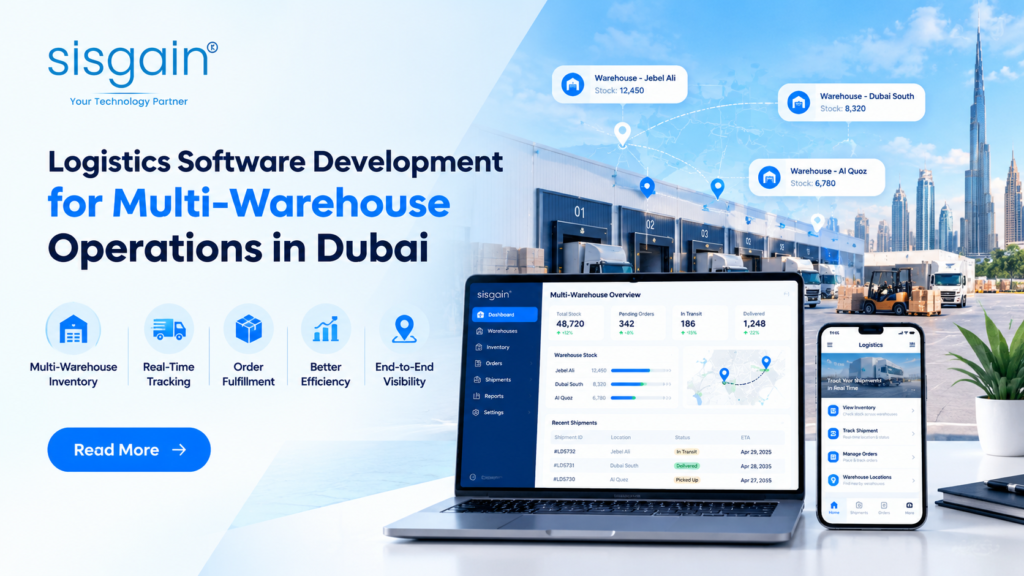

Dubai’s logistics sector supports a wide range of businesses, from e-commerce retailers and distributors to manufacturers, wholesalers, and third-party logistics providers. As these businesses expand, many establish multiple warehouses to keep products closer to customers, manage regional demand, and support faster deliveries. However, operating several warehouse locations also introduces challenges related to stock availability, inventory accuracy, order processing, and coordination between facilities.
Managing these operations through spreadsheets, disconnected software, or manual updates can create gaps in inventory information. A product may be available in one warehouse but appear unavailable to the sales team, while another facility may hold excess stock of the same item. These inconsistencies can delay orders, increase transportation costs, and make it harder for managers to plan daily operations.
Logistics software development helps businesses connect warehouse activities through a centralized digital system. It enables teams to monitor stock, coordinate transfers, process orders, and synchronize inventory information across locations. For companies operating in Dubai’s competitive business environment, this connected approach can improve operational control and support future expansion.
Why Do Businesses Need Multi-Warehouse Inventory Management?
When a business operates multiple warehouses, inventory management becomes more complex than simply tracking products at one location. Each facility may serve different customers, store different product categories, or handle different order volumes. Without a coordinated system, managers can struggle to understand how much stock is available across the entire network.
Multi-Warehouse Inventory Management provides a structured way to monitor inventory at individual locations while maintaining a consolidated view of stock across the business. Instead of treating each warehouse as a separate operation, companies can manage inventory through shared processes and consistent data.
For example, a Dubai-based distributor might store fast-moving products near central delivery areas while keeping reserve inventory at a larger facility outside the main commercial district. If customer demand increases at one location, the company needs accurate stock information to decide whether to transfer products, fulfill orders from another warehouse, or replenish existing inventory.
A connected inventory system helps businesses make these decisions using current operational information.
Key capabilities include:
- Location-based stock tracking: Monitor available, reserved, damaged, and incoming stock at each warehouse.
- Centralized inventory records: Access consolidated inventory information without manually combining separate reports.
- Warehouse-level reorder settings: Establish replenishment thresholds based on the demand and storage capacity of each facility.
- Stock allocation rules: Assign inventory to orders according to availability, warehouse location, and business priorities.
- Inventory movement records: Maintain a clear record of receipts, dispatches, transfers, and adjustments.
These capabilities help warehouse managers maintain better control over inventory and reduce the risk of making decisions based on incomplete information.
Improving Inventory Visibility Across Multiple Warehouses
Inventory visibility becomes especially important when customer orders can be fulfilled from several locations. Sales teams need to know whether products are available, warehouse managers need accurate stock records, and logistics teams need reliable information before planning dispatches.
Inventory Visibility Across Multiple Warehouses means having a consolidated view of stock availability, location, movement, and order commitments across the warehouse network. It allows different departments to work with consistent information instead of maintaining separate records.
Consider an online retailer serving customers throughout Dubai and other Emirates. A product might be available at two warehouse locations, but part of that inventory may already be reserved for existing orders. If the system does not distinguish available stock from committed stock, the sales team could accept an order that cannot be fulfilled on time.
A centralized logistics platform can reduce this risk by tracking stock quantities and order reservations together.
How Does Real-Time Inventory Visibility Help?
Real-time or near-real-time inventory updates help businesses respond more quickly to operational changes. The exact update speed depends on the software architecture, integrations, warehouse connectivity, and scanning processes.
A connected system can help teams:
Identify available stock: View quantities across locations before confirming customer orders or replenishment requests.
Reduce unnecessary purchases: Check whether another warehouse already holds the required products before placing new supplier orders.
Locate inventory faster: Identify which facility stores a particular product and whether it is available for picking or transfer.
Improve demand planning: Compare sales patterns and stock levels across locations to identify potential shortages or excess inventory.
Coordinate departments: Give purchasing, sales, warehouse, and dispatch teams access to consistent inventory information.
For Dubai businesses managing seasonal demand, promotional campaigns, or high order volumes, better visibility can support more informed decisions. It also gives managers a clearer picture of where inventory is needed and where stock may be sitting unused.
How Warehouse Stock Transfer Optimization Reduces Delays
Stock transfers are a normal part of multi-warehouse operations. Businesses move products between facilities to balance inventory, respond to changing demand, and maintain service levels. However, transfers can become expensive and time-consuming when they depend on phone calls, manual spreadsheets, or incomplete stock records.
Warehouse Stock Transfer Optimization involves determining when a transfer is needed, selecting a suitable source warehouse, coordinating transportation, and updating inventory records throughout the movement.
For example, if a warehouse serving a high-demand area runs low on a particular product, the system can help identify another facility with sufficient available stock. Managers can then evaluate whether transferring inventory is more practical than ordering new stock or shipping the customer’s order from a distant location.
A logistics platform can support this process through several capabilities.
Automated Transfer Requests
Businesses can configure rules that flag stock shortages at individual facilities. When inventory falls below a defined threshold, the system can suggest a transfer request for manager review. Approval workflows help ensure that the source warehouse has enough stock to meet its own requirements.
Transfer Planning and Tracking
Once a transfer is approved, teams can record the source location, destination, quantity, dispatch details, and expected arrival. Status updates help both warehouses understand whether the stock is pending, in transit, or received.
Transportation Coordination
Transfer planning can consider vehicle availability, delivery schedules, distance, and other operational constraints. Where supported by the software, route planning and shipment consolidation can help businesses avoid unnecessary trips.
Accurate Inventory Adjustments
The system should distinguish between stock available at the source warehouse, stock in transit, and stock received at the destination. This prevents transferred goods from being counted incorrectly or appearing available at two locations simultaneously.
By coordinating these activities, businesses can reduce avoidable delays, improve stock balancing, and maintain more dependable inventory records.
Making Multi-Warehouse Order Fulfillment More Efficient
Order fulfillment becomes more challenging when a business has several possible locations from which to ship products. Choosing the wrong warehouse can increase delivery distance, create additional handling, or leave another facility with insufficient stock for local demand.
Multi-Warehouse Order Fulfillment uses inventory availability, customer location, delivery commitments, and operational rules to determine where an order should be processed.
Rather than automatically assigning every order to the nearest warehouse, a well-designed system can evaluate several factors before making an allocation decision.
Factors That Influence Warehouse Selection
- Stock availability: The selected warehouse must have enough uncommitted inventory to fulfill the order.
- Delivery location: A nearby warehouse may reduce travel time and transportation costs when other conditions are equal.
- Order composition: Orders containing multiple products may require additional planning if items are stored at different facilities.
- Warehouse workload: Capacity and current picking activity can influence which facility is best positioned to process an order.
- Delivery commitments: Priority orders may require a different allocation strategy from standard shipments.
- Shipping costs: Businesses can compare fulfillment options to balance service expectations with operating expenses.
For instance, a retailer may receive an order for several items, with most available at one warehouse and one item at another. Depending on business rules, the software might recommend splitting the shipment, transferring stock first, or fulfilling the order from a facility that can supply all items together.
The best option depends on delivery promises, inventory availability, handling costs, and customer expectations. Configurable allocation rules allow businesses to choose an approach that fits their operations.
Supporting Faster Order Processing
Once an order is allocated, the system can generate picking tasks, update reserved inventory, prepare packing information, and pass shipment details to the dispatch team. Integration with order management, accounting, and transportation systems can reduce duplicate data entry.
These workflows help businesses manage higher order volumes without relying entirely on manual coordination. They also make it easier to identify bottlenecks, such as delays between order confirmation and picking or between packing and dispatch.
The Role of Warehouse Inventory Synchronization
Inventory data must remain consistent across warehouse operations, sales channels, order management platforms, and other connected business systems. If one system records a sale while another continues to show the previous stock quantity, the resulting mismatch can affect order acceptance and replenishment decisions.
Warehouse Inventory Synchronization keeps stock records aligned as products are received, picked, sold, returned, adjusted, or transferred between facilities.
For example, when an order is confirmed through an e-commerce platform, the inventory system may reserve the required quantity at the assigned warehouse. As the warehouse team picks and dispatches the items, the stock status changes to reflect the movement. Connected systems should receive the relevant updates according to the integration design.
Essential Synchronization Processes
Receiving and put-away: Record incoming products when they arrive and update quantities after receiving checks are completed.
Order reservation: Separate stock committed to confirmed orders from inventory available for new sales.
Picking and dispatch: Update inventory as products move through fulfillment stages.
Inter-warehouse transfers: Track stock leaving the source location, moving in transit, and arriving at the destination.
Returns and adjustments: Record returned products, damaged goods, and approved stock corrections using consistent procedures.
System integrations: Exchange inventory information with connected sales channels, enterprise resource planning platforms, and warehouse management systems.
Synchronization requires more than sharing data between applications. Businesses also need clear rules for which system owns each record, how conflicting updates are handled, and what happens when a warehouse temporarily loses connectivity.
Barcode scanning, mobile warehouse applications, audit trails, and exception alerts can help improve accuracy. Regular reconciliation remains important because software cannot automatically correct every physical counting error or incorrectly recorded movement.
Essential Features of Multi-Warehouse Logistics Software
The right logistics platform should support the actual movement of products across the warehouse network. A business with two facilities and relatively simple orders may require different capabilities from a distributor managing numerous locations, complex transfers, and several sales channels.
Before development begins, companies should identify their operational requirements and prioritize features that address their most frequent challenges.
| Software feature | How it supports multi-warehouse operations |
| Centralized inventory dashboard | Provides a consolidated view of stock across locations |
| Warehouse-level stock tracking | Separates available, reserved, damaged, and incoming inventory |
| Automated stock transfer workflows | Helps teams request, approve, dispatch, and receive transfers |
| Order allocation rules | Assigns orders based on inventory, location, capacity, and delivery requirements |
| Barcode or QR code scanning | Supports product identification and more accurate stock movements |
| Picking and packing management | Organizes fulfillment tasks and records order progress |
| Shipment and delivery tracking | Connects warehouse dispatch with transportation activities |
| Reporting and analytics | Highlights stock imbalances, fulfillment delays, and inventory trends |
| Role-based access control | Limits system access according to employee responsibilities |
| Third-party integrations | Connects logistics operations with ERP, accounting, e-commerce, and other platforms |
Mobile Access for Warehouse and Delivery Teams
Warehouse and transportation employees often need information while away from a desktop workstation. Mobile applications can help them check assigned tasks, scan products, confirm transfers, and report shipment status.
Businesses should also consider Logistics App Features for Drivers when coordinating deliveries between warehouses or transporting orders to customers. Depending on requirements, these features may include digital delivery assignments, navigation support, proof of delivery, delivery status updates, and communication with dispatch teams.
When driver activity is connected with warehouse records, dispatchers can gain a clearer understanding of shipment progress. Delivery confirmations can also help close the loop between order fulfillment and final delivery.
Reporting and Operational Analytics
Reports should help managers understand what is happening across the network and why. Useful indicators include inventory accuracy, order fulfillment time, stock transfer lead time, order picking accuracy, stockout frequency, and the proportion of orders shipped from the planned warehouse.
Businesses can use these measurements to identify recurring delays, compare warehouse performance, and improve allocation rules. Dashboards become more valuable when they are based on reliable data and clearly defined performance measures.
How Logistics Software Supports Warehouse Efficiency and Cost Optimization
Operating multiple warehouses creates costs beyond rent and storage. Businesses must also manage labor, product handling, transportation, stock discrepancies, returns, and inventory that remains unused for long periods.
Warehouse Efficiency and Cost Optimization requires identifying where time, inventory, and resources are being consumed unnecessarily, then improving the processes responsible for those costs.
Logistics software supports this work by making warehouse activity more visible and helping teams coordinate decisions across locations.
Reducing Excess Inventory
Without a consolidated inventory view, businesses may purchase additional products even when usable stock is available elsewhere in their network. Centralized reporting can help purchasing teams identify excess quantities, redistribute inventory where appropriate, and make replenishment decisions based on broader demand patterns.
The goal is not simply to keep less inventory. Businesses must maintain enough stock to meet customer demand while avoiding unnecessary accumulation.
Improving Labor Productivity
Manual stock checks, repeated data entry, and unclear picking instructions can consume employee time. Digital task assignment, barcode scanning, and standardized workflows help employees record movements and complete tasks with fewer administrative steps.
Managers can also review task completion times and workload distribution to identify areas that may need process improvements or additional training.
Limiting Avoidable Transportation Costs
Poor inventory coordination can result in shipments from unsuitable locations, repeated transfers, or additional trips to collect missing items. Better order allocation and transfer planning help teams compare available fulfillment options before committing resources.
Where operationally appropriate, businesses can also consolidate transfers and coordinate them with existing transportation schedules.
Preventing Fulfillment Errors
Incorrect stock records and poorly coordinated picking activities can lead to wrong items, incomplete shipments, and returns. Scanning procedures, order validation, and consistent inventory updates can reduce these risks and help staff identify problems earlier.
The financial benefits depend on order volume, existing processes, implementation quality, and the accuracy of operational data. Businesses should establish baseline measurements before introducing new software so they can evaluate actual improvements rather than relying on assumptions.
Choosing a Logistics Software Development Company in Dubai
Selecting a development partner is an important decision for businesses planning to connect warehouse operations. The software should reflect the company’s inventory policies, fulfillment processes, integration requirements, and expansion plans rather than forcing every operation into a generic workflow.
A suitable logistics software development company in dubai should be able to understand local operating requirements while designing a solution that can support the business as its warehouse network grows.
Before choosing a partner, consider the following areas.
Understanding of Logistics Workflows
The development team should understand receiving, storage, picking, packing, transfers, dispatch, returns, and inventory reconciliation. It should also be able to map how these activities differ across warehouse locations.
Integration Capabilities
Review how the proposed solution will connect with existing ERP, warehouse management, accounting, e-commerce, fleet management, and order processing systems. Clear integration planning helps avoid duplicate records and disconnected workflows.
Scalability and Flexibility
A business may add warehouse locations, product categories, delivery partners, or sales channels in the future. The software architecture should support these changes without requiring unnecessary redesign.
Data Security and Access Management
Warehouse and logistics systems may contain commercially sensitive information about stock, suppliers, customers, and shipments. Role-based permissions, secure integrations, activity logs, and appropriate data protection controls should be part of the design.
Reporting and Ongoing Support
Ask how the platform will measure operational performance and how updates, issue resolution, backups, and maintenance will be handled. A clear support plan helps the business maintain reliable operations after deployment.
SISGAIN can help businesses explore software development approaches aligned with their logistics workflows, integration needs, and operational goals. The right solution begins with understanding existing processes, identifying recurring challenges, and defining measurable outcomes before selecting the required features.
Implementing Multi-Warehouse Logistics Software Successfully
Even well-designed software requires a structured implementation process. Moving too quickly without validating inventory records, testing integrations, or preparing warehouse staff can create avoidable disruption.
A phased approach helps businesses introduce the platform while maintaining control over daily operations.
- Map existing workflows. Document how each warehouse receives, stores, transfers, picks, and dispatches products. Identify manual steps and recurring inventory discrepancies.
- Establish inventory standards. Standardize product identifiers, warehouse codes, stock statuses, and transfer procedures. Review existing records before migrating data.
- Define system integrations. Decide which applications exchange data, which system owns each record, and how updates and exceptions will be handled.
- Configure business rules. Establish replenishment thresholds, transfer approvals, order allocation priorities, and access permissions based on actual operating needs.
- Test with a limited rollout. Start with a selected warehouse or product category. Validate stock updates, transfer tracking, order processing, and exception handling before expanding.
- Train employees. Provide role-specific guidance for warehouse staff, managers, dispatchers, and drivers. Employees should understand both the software and the processes it is designed to support.
- Monitor performance and improve. Compare operational results against the baseline. Use employee feedback, exception reports, and performance metrics to refine workflows over time.
This process allows businesses to identify problems early and build confidence before the system is deployed across the entire network.
Conclusion
Managing multiple warehouses in Dubai requires more than tracking stock at separate locations. Businesses need coordinated inventory records, reliable stock transfers, efficient order allocation, and consistent communication between warehouse and transportation teams. Without these capabilities, disconnected processes can create delays, excess inventory, and avoidable operating costs.
Logistics software development brings these activities into a more connected operating environment. With multi-warehouse inventory management, inventory synchronization, transfer tracking, and intelligent fulfillment rules, businesses can improve visibility and make more informed operational decisions.
The most effective solution is one designed around real warehouse workflows, supported by reliable integrations, and measured against clear performance goals. By taking a phased approach and continually reviewing results, Dubai businesses can build a logistics network that supports dependable service today and sustainable growth in the future.
FAQs
1. How does Multi-Warehouse Inventory Management help growing businesses?
Multi-Warehouse Inventory Management helps businesses monitor stock levels, organize inventory, and coordinate activities across multiple warehouse locations. It improves stock allocation, reduces inventory discrepancies, and supports more efficient order processing.
2. How can businesses improve Inventory Visibility Across Multiple Warehouses?
Inventory Visibility Across Multiple Warehouses can be improved through centralized inventory systems that synchronize stock updates across locations. This helps teams identify available products, prevent stockouts, and make informed decisions about inventory distribution.
3. What is the best way to improve Warehouse Stock Transfer Optimization?
Warehouse Stock Transfer Optimization involves planning stock movements based on demand, inventory availability, transfer costs, and delivery timelines. Automated transfer requests and real-time inventory updates help reduce unnecessary movements and maintain balanced stock levels.
4. How does Multi-Warehouse Order Fulfillment improve delivery performance?
Multi-Warehouse Order Fulfillment allows businesses to process orders from the most suitable warehouse based on stock availability, location, and delivery requirements. This approach can shorten delivery times, reduce shipping costs, and improve order accuracy.
5. How can a logistics software development company in dubai support multi-warehouse operations?
A logistics software development company in dubai can develop customized solutions that connect warehouse inventory, order processing, shipment tracking, and stock transfers. These integrated systems help businesses improve operational visibility and manage complex logistics workflows.
6. Which Logistics App Features for Drivers improve delivery operations?
Essential Logistics App Features for Drivers include GPS navigation, delivery assignments, real-time status updates, digital proof of delivery, and customer notifications. These features improve driver coordination, simplify delivery reporting, and help dispatchers monitor progress.
7. How can businesses achieve Warehouse Efficiency and Cost Optimization?
Warehouse Efficiency and Cost Optimization can be achieved through better inventory placement, automated stock tracking, optimized picking processes, and data-driven workforce planning. These improvements help reduce operational waste, make better use of warehouse space, and control handling costs.